Why Accessible Websites Matter in WI
 Posted by: Admin on 27th October 2026 16:10:31.
When people hear "ADA" and websites in the same sentence, they often picture a stack of rules. For a Green Bay shop, clinic, or nonprofit, the everyday version is simpler: can more people use your site without fighting it?
I have been building websites for Wisconsin small businesses and nonprofits since 2007. Accessible design is part of doing that job with care. It helps visitors who use screen readers, people with low vision, folks who navigate by keyboard, and anyone trying to read your site outdoors on a bright phone screen.
What accessibility means in plain words
WCAG is a set of guidelines used across the web. You do not need to memorize the letters. Think in everyday checks:
- Can someone hear or read the meaning of your images?
- Can someone use the site without a mouse?
- Is the text big enough and dark enough to read?
- Do forms say what went wrong in clear language?
- Do videos have captions when spoken words matter?
Those habits help people with disabilities. They also help busy customers, tired eyes, and anyone on a small screen.
Why Wisconsin businesses should care
Your customers include veterans, older neighbors, parents juggling a phone one-handed, and people with temporary injuries. An inaccessible site quietly turns some of them away.
There is also a practical business reason. Search tools and AI assistants prefer pages they can read cleanly. Clear headings, real text instead of text locked inside images, and working links help both people and machines understand you.
For organizations that serve the public — including many nonprofits — accessibility is part of treating people with respect. That matches how most Wisconsin owners already want to run their work.
Common problems I still see
- Buttons that only work with a mouse hover
- Low-contrast gray text on a gray background
- Forms that say "invalid" with no hint what to fix
- Images of important text with no alternative description
- Auto-playing media that is hard to stop
- Links that say only "click here"
None of those require a huge redesign to start fixing. Many are small edits with a big difference.
A short accessibility pass you can do
Spend fifteen minutes with your phone and a cup of coffee.
- Turn your brightness down. Can you still read the text?
- Tab through the home page with the keyboard. Can you see where you are?
- Read the page out loud. Do the headings make sense in order?
- Check that every image that carries meaning has a short description
- Submit a blank contact form on purpose. Does the error make sense?
Write down what failed. That list is more useful than a vague goal to "become ADA compliant someday."
Progress beats perfection
Accessibility is a practice, not a one-time badge. Start with the pages people use to hire you, donate, or ask for help. Fix contrast, labels, and keyboard use. Then improve the rest as you update the site.
If a vendor promises a magic plugin that "makes any site accessible" with one click, be careful. Tools can help find issues. People still have to fix the content and layout.
If you want help making the site usable
Real Wisconsin Website Design is a veteran-owned and woman-owned company in Green Bay. We build practical websites for Wisconsin small businesses and nonprofits, and we care whether real people can use them.
Call 920-785-1219, text 920-461-3129, or reach us at https://realwis.com/contact-form.php. We will tell you what we would fix first, in plain words.
Jim Murphy
Real Wisconsin Website Design
https://realwis.com






1. Website Design
2. SEO
3. Local Marketing
4. ADA & Accessibility
5. Content & Video
6. AI for Small Business
7. Nonprofit & Small Business
8. How-To / Checklists
GENERAL
TECHNOLOGY
WELCOME
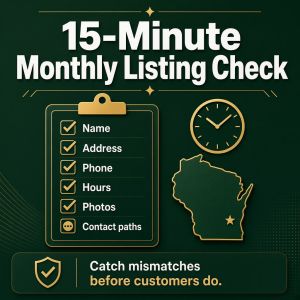
15-Minute Monthly Listing Check
Posted on 27th October 2026 16:15:30 by Admin.
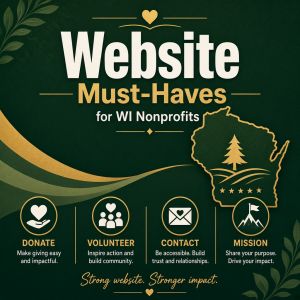
Website Must-Haves for WI Nonprofits
Posted on 27th October 2026 16:13:50 by Admin.

Short Video + Your Website Working Together
Posted on 27th October 2026 16:12:18 by Admin.
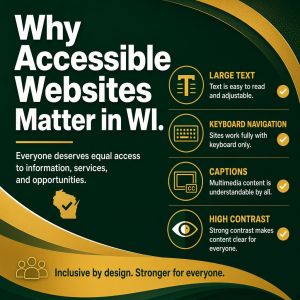
Why Accessible Websites Matter in WI
Posted on 27th October 2026 16:10:31 by Admin.
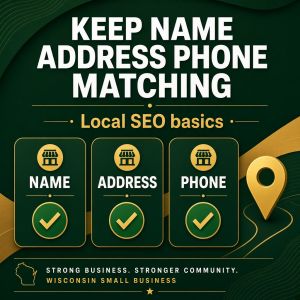
Keep Your Name, Address, Phone Matching
Posted on 27th October 2026 16:06:55 by Admin.
