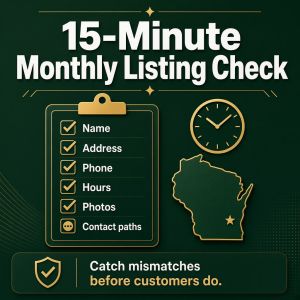
15-Minute Monthly Listing Check
 Posted by: Admin on 27th October 2026 16:15:30.
Wrong hours and old phone numbers cost local businesses quiet work every week. The fix is not a full marketing overhaul. It is a short monthly habit.
I have been building websites for Wisconsin small businesses and nonprofits since 2007. The owners who stay easiest to hire are usually the ones who spend fifteen minutes a month making sure the public details still match real life.
Print this page or copy the checklist into a notebook. Check items off with a pen.
Before you start
- Open your website on a phone
- Open your Google Business Profile on the same phone
- Have your real hours and main phone number in front of you
The 15-minute checklist
1. Name, address, phone (3 minutes)
- Website name matches the Google profile name
- Phone number matches exactly, including area code
- Address matches, including suite or unit if you use one
- Service-area businesses: service area text matches what you tell customers
If anything differs, fix the wrong one now. Do not leave both versions "for later."
2. Hours and special hours (3 minutes)
- Weekday hours are correct
- Saturday and Sunday hours are correct
- Lunch closings or "by appointment" notes are clear
- Holiday hours for the next month are set
- Website hours match the Google profile hours
Winter hours, Packers-home-game notes, and holiday closings confuse people when only one place is updated.
3. Categories and services (2 minutes)
- Primary Google category still fits the main work you do
- Secondary categories are still true
- Services list matches what you currently offer
- Retired services are removed so nobody books the wrong thing
4. Photos and first impression (2 minutes)
- Profile photo still looks like your business
- Cover photo is not years out of date
- At least a few recent photos show real work, the team, or the shop
- No old promo banners for expired sales
5. Website contact paths (3 minutes)
- Tap-to-call works on a phone
- Contact form still sends to a monitored inbox
- Spam folder checked for form mail this week
- Email addresses on the site still belong to people who work there
6. Quick public search (2 minutes)
- Search your business name on Google
- Search your main service plus your town
- Note anything wrong in the map listing or knowledge panel
- Ask one trusted customer if the hours they see match reality
Optional extras if you have five more minutes
- Reply to any new Google reviews
- Remove a duplicate listing if you discover one
- Update Bing Places if you maintain it
- Confirm Facebook or other profiles show the same phone and hours
What to do with problems you find
Write three columns on paper: Wrong detail, Where it appears, Fixed on (date). Small mismatches are normal. Leaving them for six months is what hurts.
If you changed phone numbers this year, hunt down every old place the number still shows. Customers will call the dead number first because search results remember it.
Keep the habit tiny on purpose
Fifteen minutes once a month beats a panicked weekend after a bad review about "they were closed when the site said open." Put a recurring reminder on your calendar. Same day each month. Same checklist.
If you want help cleaning the mess
Real Wisconsin Website Design is veteran-owned and woman-owned in Green Bay. We help Wisconsin small businesses and nonprofits get websites and listings to say the same true things.
Call 920-785-1219, text 920-461-3129, or use https://realwis.com/contact-form.php.
For a related AI-visibility checklist you can print, see https://realwis.com/ai-visibility.html.
Jim Murphy
Real Wisconsin Website Design
https://realwis.com






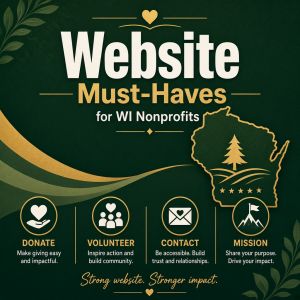
Website Must-Haves for WI Nonprofits
Posted by: Admin on 27th October 2026 16:13:50.
Nonprofit websites often try to do too much at once — or too little. Boards want the story told. Staff need a place for events. Volunteers need a simple way to raise a hand. Donors want to know the gift goes somewhere real.
I have been building websites for Wisconsin small businesses and nonprofits since 2007. That includes work with veterans organizations such as Green Bay DAV Chapter 3 and the DAV Department of Wisconsin, which you can see in our portfolio at https://realwis.com/portfolio.html. The useful pattern is the same across many groups: clarity first, decoration second.
Say who you help and how
A visitor from outside your board meeting should understand, in about ten seconds:
- Who you serve
- What you do for them
- Where you work — Green Bay, statewide, or a named region
- How a stranger can help or get help
Mission statements written for bylaws are often too abstract for a home page. Translate them into everyday words. "We help local veterans with rides to medical appointments" beats a paragraph of institutional language.
Make the next step obvious
Most nonprofit visitors arrive with one of four goals:
- Donate
- Volunteer
- Find a service or meeting
- Contact a person
Give each goal a clear path. A donate button that leads to a trusted process. A volunteer form that asks only what you will actually use. A meetings or events area with dates that stay current. A contact option that reaches a monitored inbox or phone.
If everything competes for attention, people do nothing.
Trust details that belong on the site
- Legal name of the organization
- City and state where you operate
- A real contact method — phone, email, or form
- Leadership names when appropriate
- Links to annual reports or impact notes if you publish them
You do not need to publish every internal detail. You do need enough for a careful donor or partner to believe you are a real organization.
Keep it maintainable for volunteers
Many Wisconsin nonprofits update the site with limited staff time. Design for that reality:
- Fewer pages, updated well, beat dozens of forgotten pages
- Event dates need an owner — someone who will change them
- Photos should be ones you have rights to use
- Old PDFs and dead links hurt trust faster than a plain layout
If only one person knows how to edit the site, write down the login process and who to call when that person is out of town.
Mobile matters for your audience too
Volunteers, members, and clients often visit on phones. Tap-to-call, readable type, and forms that work on a small screen are not luxuries. They are how people reach you after work or between appointments.
A nonprofit website checklist
- Home page explains mission and area in plain words
- Donate / volunteer / contact paths are obvious
- Hours, meeting times, or service windows are current
- Phone and email match what you print on flyers
- Site works on a phone without pinch-zooming
- Someone is assigned to review the site monthly
Print that list. Check it off with a pen. Gaps become your next work party agenda.
If your site needs a practical reset
Real Wisconsin Website Design is a veteran-owned and woman-owned company in Green Bay. We build practical websites for Wisconsin nonprofits and small businesses — sites volunteers can maintain and visitors can use.
Call 920-785-1219, text 920-461-3129, or use https://realwis.com/contact-form.php. We will tell you what we would fix first.
Jim Murphy
Real Wisconsin Website Design
https://realwis.com
Short Video + Your Website Working Together
Posted by: Admin on 27th October 2026 16:12:18.
Plenty of Green Bay owners record a quick video on a phone, post it once, and hope it does the whole job. Video is powerful. It is not a substitute for a clear website.
I have been building websites for Wisconsin small businesses and nonprofits since 2007, and we also help with practical video for local use. The pattern that works is simple: short video earns attention, and the website finishes the conversation.
What short video is good at
A thirty- to ninety-second clip can show:
- Your face and voice — people like knowing who they will call
- A before-and-after from a real job
- A quick walk through the shop or service process
- A thank-you to a community partner or volunteer team
That kind of clip builds familiarity faster than a paragraph of about-us text. It works well on social posts, a Google Business Profile update, or a simple YouTube upload.
What the website still has to do
After someone watches, they still need a place that answers the basics:
- What do you do?
- Where do you work?
- How do I reach you?
- Are you available when I need you?
Your site holds those answers in a stable place you control. Hours, service area, contact form, and tap-to-call do not belong only inside a social feed that changes by the hour.
A simple way to connect the two
When you publish a short video, give people a clear next step that lands on your site.
- End the video with your website address said slowly once
- Put the same video on the matching service page, not only on social media
- Add captions so the video works with the sound off
- Link from the video description to the exact page that can convert — contact, quote, or donate
If the video is about roof repair in the Fox Valley, send people to the roof repair page, not a generic home page that makes them hunt.
Keep production practical
You do not need a studio. For most local businesses:
- Good daylight near a window beats fancy lights
- A quiet room beats background TV noise
- Hold the phone sideways only if you know where it will play; vertical is fine for many social posts
- One idea per video is enough
Script three sentences on paper. Say them like you would to a neighbor. Stop. That is often better than a long take that wanders.
Where video belongs on the site
Place video where it supports a decision:
- Home page: a short welcome or "how we work" clip
- Service page: a clip of that service being done
- About page: who you are and why you do the work
- Nonprofit page: a volunteer story or mission moment
Avoid auto-play with sound. Let the visitor choose. Make sure the page still makes sense if the video never loads.
A one-week starter plan
- Day 1: Pick one service people ask about most
- Day 2: Film a 60-second answer on your phone
- Day 3: Add captions and upload
- Day 4: Embed it on the matching website page
- Day 5: Share it once with a link back to that page
Measure whether calls or form fills improve. Then film the next question customers keep asking.
If you want help with either side
Real Wisconsin Website Design is veteran-owned and woman-owned in Green Bay. We build practical websites and can help with straightforward video that supports those pages — not fluff for its own sake.
Call 920-785-1219, text 920-461-3129, or use https://realwis.com/contact-form.php.
Jim Murphy
Real Wisconsin Website Design
https://realwis.com
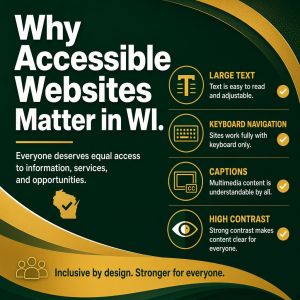
Why Accessible Websites Matter in WI
Posted by: Admin on 27th October 2026 16:10:31.
When people hear "ADA" and websites in the same sentence, they often picture a stack of rules. For a Green Bay shop, clinic, or nonprofit, the everyday version is simpler: can more people use your site without fighting it?
I have been building websites for Wisconsin small businesses and nonprofits since 2007. Accessible design is part of doing that job with care. It helps visitors who use screen readers, people with low vision, folks who navigate by keyboard, and anyone trying to read your site outdoors on a bright phone screen.
What accessibility means in plain words
WCAG is a set of guidelines used across the web. You do not need to memorize the letters. Think in everyday checks:
- Can someone hear or read the meaning of your images?
- Can someone use the site without a mouse?
- Is the text big enough and dark enough to read?
- Do forms say what went wrong in clear language?
- Do videos have captions when spoken words matter?
Those habits help people with disabilities. They also help busy customers, tired eyes, and anyone on a small screen.
Why Wisconsin businesses should care
Your customers include veterans, older neighbors, parents juggling a phone one-handed, and people with temporary injuries. An inaccessible site quietly turns some of them away.
There is also a practical business reason. Search tools and AI assistants prefer pages they can read cleanly. Clear headings, real text instead of text locked inside images, and working links help both people and machines understand you.
For organizations that serve the public — including many nonprofits — accessibility is part of treating people with respect. That matches how most Wisconsin owners already want to run their work.
Common problems I still see
- Buttons that only work with a mouse hover
- Low-contrast gray text on a gray background
- Forms that say "invalid" with no hint what to fix
- Images of important text with no alternative description
- Auto-playing media that is hard to stop
- Links that say only "click here"
None of those require a huge redesign to start fixing. Many are small edits with a big difference.
A short accessibility pass you can do
Spend fifteen minutes with your phone and a cup of coffee.
- Turn your brightness down. Can you still read the text?
- Tab through the home page with the keyboard. Can you see where you are?
- Read the page out loud. Do the headings make sense in order?
- Check that every image that carries meaning has a short description
- Submit a blank contact form on purpose. Does the error make sense?
Write down what failed. That list is more useful than a vague goal to "become ADA compliant someday."
Progress beats perfection
Accessibility is a practice, not a one-time badge. Start with the pages people use to hire you, donate, or ask for help. Fix contrast, labels, and keyboard use. Then improve the rest as you update the site.
If a vendor promises a magic plugin that "makes any site accessible" with one click, be careful. Tools can help find issues. People still have to fix the content and layout.
If you want help making the site usable
Real Wisconsin Website Design is a veteran-owned and woman-owned company in Green Bay. We build practical websites for Wisconsin small businesses and nonprofits, and we care whether real people can use them.
Call 920-785-1219, text 920-461-3129, or reach us at https://realwis.com/contact-form.php. We will tell you what we would fix first, in plain words.
Jim Murphy
Real Wisconsin Website Design
https://realwis.com
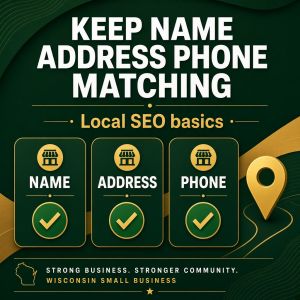
Keep Your Name, Address, Phone Matching
Posted by: Admin on 27th October 2026 16:06:55.
When owners ask me about SEO, they often expect a secret keyword list. What usually helps a Green Bay or Northeast Wisconsin business first is simpler: make your details match, and make your pages clear.
I have been building websites for Wisconsin small businesses and nonprofits since 2007. The shops that get found more often are the ones a stranger — and a search tool — can understand without guessing.
NAP means name, address, phone
NAP is just a short way to say your business name, address, and phone number. Those three should be identical on:
- Your website footer and contact page
- Your Google Business Profile
- Bing Places, if you use it
- Major directories you actually claim
- Your invoices and email signature
Small differences matter. "Street" vs "St.", an old cell number on one listing, or a suite number that appears only sometimes can split your identity. Fix the mismatches before you buy more marketing.
On-page basics without the jargon
On-page SEO is mostly writing pages so people know what you offer.
- Put the service and town in plain language near the top of the page
- Use headings that a person would say out loud
- Answer the questions customers already ask on the phone
- Link to your contact page from every important page
- Make sure photos have short descriptions of what they show
You do not need a different page for every nearby town if you do not truly work there in a distinct way. One honest service page that lists the communities you cover beats eight thin copies.
Your Google Business Profile does heavy lifting
For many local searches, the map pack matters as much as the blue website links. Keep the profile complete:
- Correct primary category
- Current hours, including holidays
- Services you actually offer
- Real photos from jobs, the shop, or the team
- A website link that opens the right page
Ask happy customers for honest reviews that mention the service and the town when it is natural. A steady trickle of real reviews beats a sudden pile that looks arranged.
Titles and meta descriptions in plain terms
The browser title is the short line that shows in a Google result. The meta description is the blurb under it. Write both like a helpful note to a neighbor:
- Name the service and the town when it fits naturally
- Promise something you can deliver
- Keep the title short enough to read on a phone
Do not stuff the same phrase five times. One clear title beats a keyword pile.
What not to chase this month
- Buying a package of thin blog posts
- Copy-paste city pages that only swap Green Bay for De Pere
- Changing your domain, phone, and site layout all at once
- Paying for fake reviews
Those shortcuts can create more cleanup than progress. Search tools are better at spotting empty pages than they used to be.
A 20-minute SEO check
Open your website and your Google Business Profile side by side.
- Do the name, phone, and address match exactly?
- Do the hours match, including Saturday and holiday notes?
- Can a stranger tell what you do from the home page alone?
- Do your three money pages — home, main service, contact — work on a phone?
Write down every mismatch. That list is real SEO work you can finish without a lecture.
If you want a second set of eyes
Real Wisconsin Website Design is veteran-owned and woman-owned in Green Bay. We help Wisconsin small businesses and nonprofits clean up listings, clarify pages, and keep the technical side from getting in the way.
Call 920-785-1219, text 920-461-3129, or use https://realwis.com/contact-form.php. We will tell you, in plain words, what we would fix first.
Jim Murphy
Real Wisconsin Website Design
https://realwis.com
1. Website Design
2. SEO
3. Local Marketing
4. ADA & Accessibility
5. Content & Video
6. AI for Small Business
7. Nonprofit & Small Business
8. How-To / Checklists
GENERAL
TECHNOLOGY
WELCOME
15-Minute Monthly Listing Check
Posted on 27th October 2026 16:15:30 by Admin.
Website Must-Haves for WI Nonprofits
Posted on 27th October 2026 16:13:50 by Admin.

Short Video + Your Website Working Together
Posted on 27th October 2026 16:12:18 by Admin.
Why Accessible Websites Matter in WI
Posted on 27th October 2026 16:10:31 by Admin.
Keep Your Name, Address, Phone Matching
Posted on 27th October 2026 16:06:55 by Admin.
