Refresh or Rebuild? How to Decide on Your Site
 Posted by: Admin on 5th November 2026 17:54:55.
Most small business owners in Green Bay know when their website feels tired. The harder question is what to do about it. Do you touch it up, or start over? Guessing wrong either wastes money or leaves you stuck with the same problems in a nicer coat of paint.
I have been building websites for Wisconsin small businesses and nonprofits since 2007. Here is the plain-language way I help owners decide.
When a refresh is enough
A refresh means keeping the site you have and fixing what is wrong with it. That is usually the right call when:
- The site already works well on a phone
- You can still log in and make changes, or someone you trust can
- Your services, hours, and prices just need updating
- The photos are old but the layout still makes sense
- People still find you and still call or fill out the form
A good refresh might include new photos of real work, clearer headlines, an updated services list, a stronger "call us" button, and a quick check that every link and form still works. That is often a few days of work, not a few months.
When it is time to rebuild
A rebuild means a new site from the ground up. It usually makes sense when:
- The site is hard to read or use on a phone
- Nobody has the login anymore, or the person who built it is gone
- Every small change costs you money or a long wait
- The site shows a "Not secure" warning in the browser
- Your business has changed so much that the old pages no longer describe what you do
- It loads slowly enough that you lose patience waiting for it yourself
If three or more of those sound familiar, patching usually costs more over time than starting fresh.
Five questions to ask before you spend anything
- Do I own my domain name, and do I know where it is registered?
- Can I get into my website and hosting accounts today?
- What do I want a visitor to do: call, book, buy, or donate?
- Which pages actually get used, and which are leftovers?
- Is my contact information the same on my site, my Google profile, and my Facebook page?
Write the answers down. They will save you time and money whichever way you go, and any honest web designer will want to hear them.
Do not lose what already works
Whether you refresh or rebuild, protect the pieces search engines and customers already trust. Keep your business name, phone, and address consistent. Keep page addresses the same where you can, or point old addresses to the new pages. Keep your best-performing content and improve it rather than tossing it.
A simple rule of thumb
If the foundation is solid and you can still make changes, refresh. If the foundation is the problem, rebuild. Painting a house with a cracked foundation only hides the crack for a while.
If you want a second opinion
Real Wisconsin Website Design is veteran-owned and woman-owned in Green Bay. I am happy to look at your current site and tell you straight whether it needs a tune-up or a fresh start.
Call 920-785-1219, text 920-461-3129, or use https://realwis.com/contact-form.php.
Jim Murphy
Real Wisconsin Website Design
https://realwis.com






1. Website Design
2. SEO
3. Local Marketing
4. ADA & Accessibility
5. Content & Video
6. AI for Small Business
7. Nonprofit & Small Business
8. How-To / Checklists
GENERAL
TECHNOLOGY
WELCOME
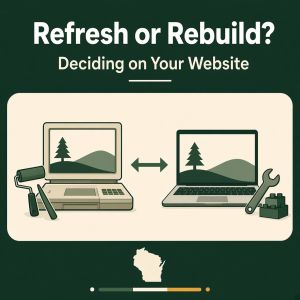
Refresh or Rebuild? How to Decide on Your Site
Posted on 5th November 2026 17:54:55 by Admin.

15-Minute Monthly Listing Check
Posted on 27th October 2026 16:15:30 by Admin.

Website Must-Haves for WI Nonprofits
Posted on 27th October 2026 16:13:50 by Admin.

Short Video + Your Website Working Together
Posted on 27th October 2026 16:12:18 by Admin.

Why Accessible Websites Matter in WI
Posted on 27th October 2026 16:10:31 by Admin.
